

Navigating the package pickup process with ease
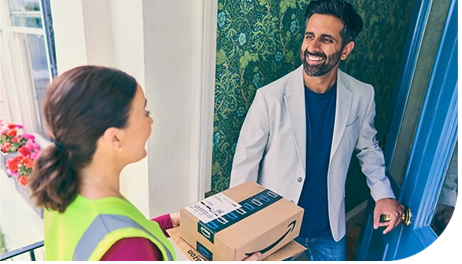
To help delivery partners navigate the Amazon Flex package pickup process with ease, we provide resources to help guide you through the steps. This includes checking in, receiving a delivery route of the stops you will make, scanning the packages you will deliver, and loading them into your vehicle. You have access to this information in the Amazon Flex app, including pickup process videos in the “Starting a Block” section of the Resource Portal which can be accessed at any time, as well as more specific guidance when you arrive at a pickup location for a scheduled offer. Here are some of the top suggestions to help save you time at pickup locations.
1. Check the Amazon Flex app for pickup location access and parking details.
The Amazon Flex app will notify you of your specific pickup location at least an hour before your delivery block begins. Helpful details, such as parking and access information, are also available in the app when you swipe up on the address while in navigation mode. For your safety, only swipe in the app when you’re not driving.
2. Arrive on time.
You’re expected to arrive at the pickup location by the time your block begins and can check in no more than 15 minutes early. It’s a good idea to check traffic conditions in advance, so you can plan your departure time accordingly.
3. Connect to the delivery station Wi-Fi, and have your driver’s licence ready.
To help ensure you have a good internet connection while picking up packages, we provide fast guest Wi-Fi that you can access by following the instructions on onsite signage. You can also save time by having your driving licence ready to scan for the check-in process.
4. Use the Amazon Flex app to locate packages for your route .
After you check in, you’ll be assigned a delivery route, and the Amazon Flex app will guide you on how to locate packages you’ll deliver.
5. Scan and load packages efficiently to save time.
When loading packages into your vehicle, we recommend grouping customer orders by the last four digits of the order ID or by the delivery zone on the label. To save time at the delivery location, it may be helpful to sort customer orders by the stop number found on your itinerary. If you need help at any pickup location, you can always contact Driver Support through the Amazon Flex app. Onsite personnel can also assist with pickup questions. For more information about pickup processes at each type of pickup location, view the videos and articles in the Resource Portal of the app.
Related Blog Posts
Navigating the package returns process with ease
Deliver by e-bike and earn on your schedule with Amazon Now

Making a positive impact through community deliveries
Staying safe in hot weather months
Using Substitutes for your Amazon Flex delivery block
Your guide to Amazon Flex earnings
Download the Amazon Flex app
Create an account to set your schedule, see your earnings upfront, and start delivering with confidence.