Your guide to Amazon Flex earnings
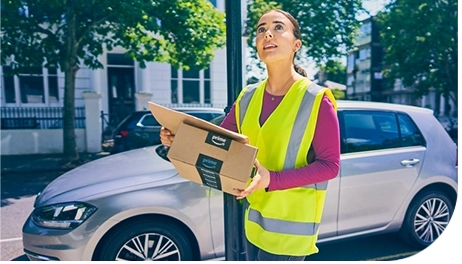
Whether you are saving up for something big or just want to make some extra money on the side, Amazon Flex gives you earnings you can count on. To help you make the most of your time on the road, we're sharing how earnings are calculated, different opportunities to earn, and how you can maximise and track your earnings.
Guaranteed, transparent earnings
The biggest part of your earnings typically comes from the initial offer. We provide clear, upfront guaranteed earnings, estimated block times, and the ability to schedule ahead, so you can make the decision if you like it and want to proceed. Even if you finish your block early, you will still earn the full amount you see in the offer. Earnings are based on a variety of factors, including the estimated time to complete the delivery block, the city or region you are in, and other factors. During times of high customer demand, the minimum earnings may increase, which means higher earnings for you.
Maximise your earnings with deals and discounts
As an Amazon Flex delivery partner, you can make your earnings go further with our rewards partners: Onsi and bp pulse. Once you've completed onboarding with Onsi, you will have access to exclusive fuel discounts, including a fuel discount card to pay for the fuel you need, plus savings at popular supermarkets and retail stores. You will also be able to save up to £70 a year on a subscription to bp pulse, allowing you to access discounted rates on contactless EV charging rates when you charge at a bp pulse site. Visit the Resource Portal in the Amazon Flex app to learn how to access all available discounts and start saving on your everyday expenses. **Substitutes on standby** As an Amazon Flex delivery partner, you have the freedom and flexibility to ask someone else to be your Substitute and make deliveries on your behalf. If you substitute a block, Amazon Flex will still pay you for the completed block, and it is your responsibility to pay your Substitute for their services at any rate you agree with them. To keep up to date on your earnings, visit the "Earnings" tab of the Amazon Flex app, where you can view your balance, pending payments, and scheduled payment date.
Related Blog Posts
Navigating the package returns process with ease
Deliver by e-bike and earn on your schedule with Amazon Now

Making a positive impact through community deliveries

Staying safe in hot weather months
Using Substitutes for your Amazon Flex delivery block
Staying safe when delivering around dogs
Download the Amazon Flex app
Create an account to set your schedule, see your earnings upfront, and start delivering with confidence.